How to pronounce names and hard words when you read a script aloud
Published November 2, 2026 · 6 min read
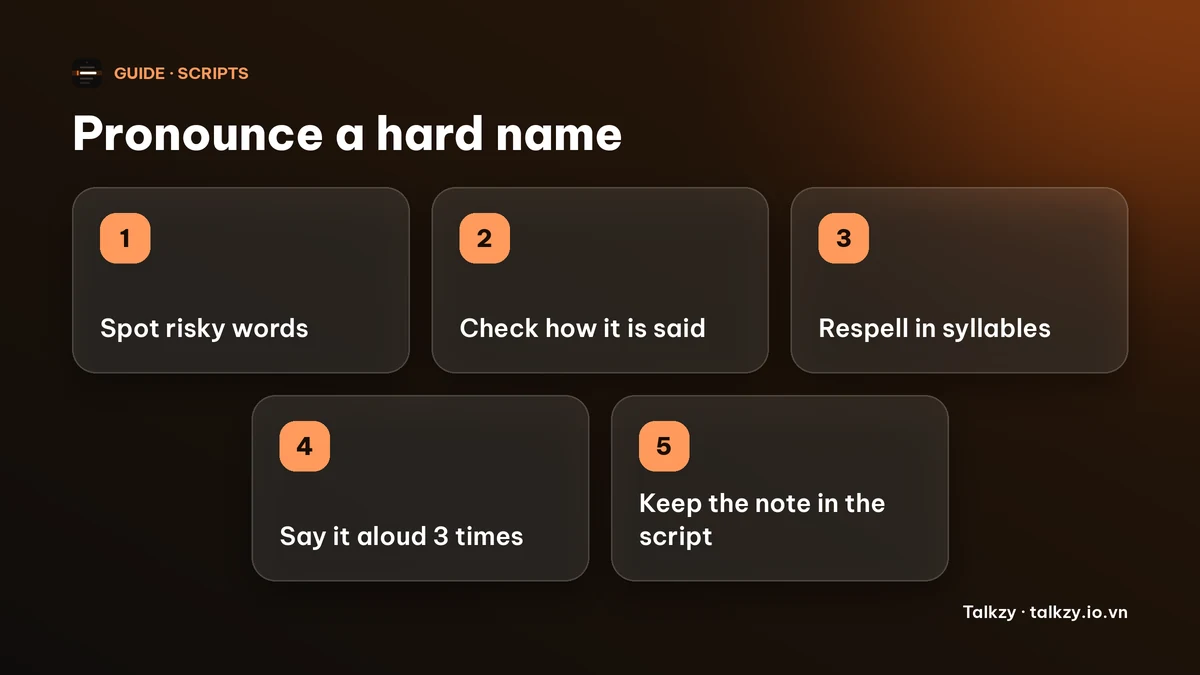
To pronounce a hard name or word correctly when you read a script, find out how it is really said, write it in the script in plain syllables with the stressed one in capitals, and say it out loud at least three times before you record or present. Do this for the five or six words that scare you, not the whole script.
This guide covers where to check a pronunciation, a simple respelling system that needs no phonetic alphabet, and how to keep the respelling in your script. The method works on paper, in any notes app or in a teleprompter app.
Why do hard words make you stumble when you read aloud?
Reading aloud is a live task: your eyes are a few words ahead of your mouth. A familiar word passes through without attention. A name you have never said, a brand, a place or a technical term makes you slow down or guess, and the hesitation is audible.
Guessing is the real risk. If you are not sure, you may say the name two different ways in one talk, and the person who owns the name will notice. Settle it once, before you read.
How do I find out how a name is really said?
- 1Highlight every name, brand, place and technical term you are not sure about. Ignore the rest.
- 2Ask the owner if you can. For a person’s name, a short message such as “How do you pronounce your name?” is normal, and people appreciate it. For a company, its own site or video often has someone saying it.
- 3If you cannot ask, look in a dictionary that has audio, or search for the name together with “pronunciation” and listen to a recording from a native speaker. Check that the example matches the right person or place, since some names are said differently in different regions.
- 4Listen two or three times, then say it back. If you can say it the way the recording does, move on to writing it down.
How do I write a pronunciation in my script?
Skip the International Phonetic Alphabet. Use a plain respelling that you can read at a glance:
- Split the word into syllables with hyphens.
- Write the stressed syllable in capitals.
- Use spellings that can only be read one way, such as “KAY” rather than “KA”, or “OO” rather than “U”.
- Put it in brackets right after the word, for example Siobhan [shih-VAWN], so you can see both the real spelling and the sound.
Then read the respelling aloud. If someone else could say it correctly from your note alone, it is good enough.
| Where you put it | Good for | Watch out for |
|---|---|---|
| In brackets after the word, in your script | Seeing the real spelling and the sound together | Longer lines; keep the note short |
| In a separate list of hard words at the top | A script with many repeats of the same name | You have to look away from the script to find it |
| Replace the word with the respelling | A name you only say once and fear most | If you use voice-follow, the app listens for the printed words |
How do I rehearse the hard words?
Say each word alone three times, slowly, then say the sentence it sits in at the speed you will read. Repeat the whole sentence a couple more times. Practising the word inside its sentence matters because that is how it will come out under pressure.
If a word keeps tripping you, you can often change the sentence so the word comes later, where you have more momentum, or replace the word with a simpler one. For a name you cannot avoid, such as a speaker or a client, keep the respelling in view.
Numbers and dates are the same kind of risk. Decide in advance how you will say them, for example “twenty twenty-six” or “two thousand twenty-six”, and write them that way.
How do I keep the respelling in a Talkzy script?
Talkzy for Mac is a slim script bar that hangs from the MacBook’s notch, or sits top-centre on a display without one, and stays on top of other windows. It is on the Mac App Store for macOS 14 or later. A script is plain text, so you can type a respelling in brackets straight after the word in the editor.
- Keep the note inside a sentence. A line that is nothing but a bracketed phrase is treated as a section heading, shown as a label and not read as part of the script.
- In Timed or Manual mode the scroll does not listen to you, so the note costs nothing.
- With voice-follow, Talkzy compares what it hears with the words printed in the script. A respelling is a different spelling from the word you speak, so it may match less well. The matcher is built to tolerate a skipped or unrecognised word, but try a short run first and delete the note if it holds you back.
- Make the text big enough to see the capitals: Settings, Overlay tab, text size 14 to 36 pt.
The overlay, timed and manual scrolling and the shortcuts are free. Voice-follow is free for 3 sessions a day, and Pro removes the limit. The iPhone and iPad app is coming soon to the App Store.
Frequently asked questions
- How do I write a pronunciation in a script?
- Split the word into syllables with hyphens and put the stressed syllable in capitals, for example shih-VAWN. Use plain letters that can only be read one way, and put it in brackets after the real word.
- How can I check how a name is pronounced?
- Ask the person or organisation, or listen to a recording from a native speaker in a dictionary with audio. Then say it back aloud and compare.
- What should I do if I still say a name wrong?
- If you notice mid-sentence, correct it once, calmly, and carry on. If you are recording, stop and take the sentence again.
- Will a respelling break voice-follow in Talkzy?
- It can match less well, because the app compares what it hears with the printed words. A skipped word is tolerated, so test a short run, and use Timed or Manual if the note gets in the way.