How to stop sounding monotone when you read a script
Published October 17, 2026 · 6 min read
To stop sounding monotone when you read a script, work out the point of each line before you speak it, mark the one or two words that carry the meaning, and give those words a change in pitch, pace or a short pause. Then let each sentence end by dropping your voice instead of trailing off. Monotone is rarely a voice problem. It happens when every word gets the same weight, because your attention is on reading and not on meaning.
This applies to a video, a presentation, a podcast intro or a speech read from notes, with paper, a teleprompter app or a phone. None of it needs special software.
Why does reading aloud sound flat?
When you speak off the cuff, you know what you want to say, so your voice rises on the surprising word and slows down on the hard part without any effort. When you read, your eyes decode words one after another and the voice follows at an even speed and pitch.
Three habits make it worse: reading every word with the same stress, ignoring where the thought ends, and speaking from a stiff, shallow breath. The good news is that all three are choices you can make before recording.
Step 1: know what each line is for
Read the script silently once and ask of every sentence: what should the listener take away from this? Is it a fact, a surprise, a warning, a joke, a transition? Write one word beside it if that helps.
Delivery follows meaning. A line you understand as “here is the surprising part” is almost impossible to read in a flat voice. A line you have not thought about is almost impossible to read in any other.
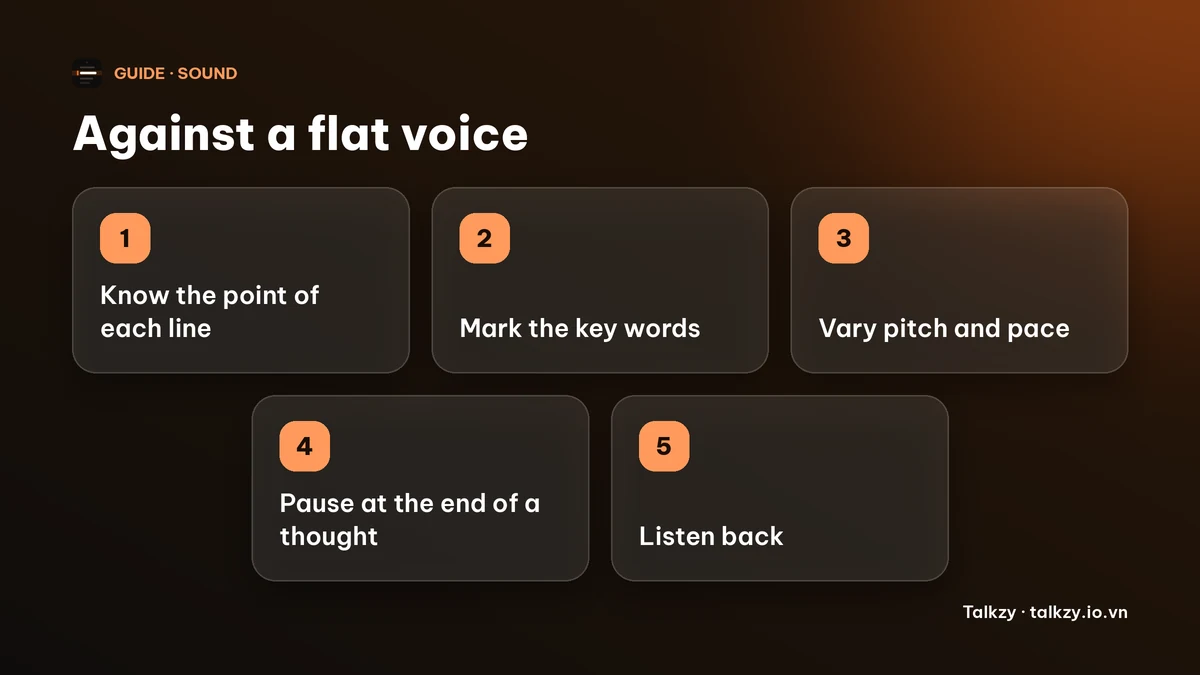
Step 2: mark the words that carry the meaning
- Underline one or two words per sentence, usually the new information. In “We moved the launch to Friday”, the news is Friday.
- Draw a slash “/” at the end of a thought where you will pause, not at every comma.
- Mark the lines where the energy changes: a question, a result, a turn in the story.
- Don’t mark everything. If ten words are stressed, none of them are.
Marks are a plan, not a performance. They let you read with your attention on meaning.
Step 3: vary pitch, pace and volume a little
- Lift or lower your pitch on the marked word, and slow slightly into it. Small changes are enough on a microphone.
- Speed up on side remarks and slow down on the point.
- Let statements end with the voice going down. A rising end on a statement sounds unsure, and a trailing end sounds tired.
- Try one paragraph three ways: slowly, quickly, then at the pace of a chat with a friend. Listen back and keep the one that sounds most like you.
- Speak a touch louder than feels necessary. Quiet reading tends to flatten.
Step 4: pause where a person would
Pauses do more for variety than any trick of pitch. Pause after a key point so it can land, before a surprise, and between ideas. A pause that feels long to you is usually short to the listener.
Breathe in at those pauses, not mid-sentence. A breath taken at the right moment also gives the next sentence a fresh start. If a sentence needs two breaths, it is two sentences: split it in the script.
Step 5: change how you read, not only how you sound
- Tell it, don’t read it. Imagine one person across the table who doesn’t know the topic and explain it to them.
- Stand or sit upright with relaxed shoulders and unclenched hands; a stiff body makes a stiff voice. A small hand gesture often changes the voice by itself.
- Read a few words ahead of what you are saying, so the voice never waits for the eyes.
- Record a short test, listen back once, and change one thing at a time.
If your reading is also fast, our guide on talking too fast has a way to set a pace you can keep.
Where Talkzy helps
Talkzy for Mac is a script bar that hangs from the MacBook’s notch, or sits top-centre on a display without one, and stays above other windows without taking focus. It is on the Mac App Store for macOS 14 or later.
- The script scrolls at a speed you set, by hand, or by following your voice (beta, recognised on the device). Hover the pointer over the bar to pause, which gives you a place to take a real pause.
- Start a line with # to split the script into blocks, handy for practising and recording one part at a time.
- Global shortcuts for play, pause and speed work while another app is in front, so you can slow down on a key line without switching windows.
- The bar, timed and manual scrolling and the shortcuts are free; voice-follow is free for 3 sessions a day, and Pro removes the limit.
The iPhone and iPad app is coming soon to the App Store.
Frequently asked questions
- Why do I sound monotone when I read?
- Because your attention goes to decoding the words, so every word gets the same stress, pitch and speed. Knowing the point of each line and marking the key words brings the variety back.
- How do I add expression to a script?
- Underline one or two key words per sentence, vary your pitch and pace on them, pause at the end of a thought, and let statements end with a falling voice.
- Should I mark up my script?
- Yes, lightly. A slash for a pause and an underline for a key word are enough. Marking every word defeats the purpose.
- Does a teleprompter make you sound monotone?
- It can if the speed is too fast or you chase the text. Set a speed you can keep, read slightly ahead and pause on key lines. The same applies to paper.