Why your voice shakes when you present or record (and how to steady it)
Published November 4, 2026 · 6 min read
A shaky voice when you present or record is usually adrenaline plus tension in your breath, throat and shoulders. To steady it: breathe out slowly before you start, speak more slowly than feels natural, pause for a moment before the first line, relax your shoulders and jaw, and make the first take a rehearsal.
This guide explains why it happens, a one-minute routine to do just before you begin, what to do if your voice wobbles mid-sentence, and how a script on screen can help you stay calm. It is general speaking advice, not medical advice: if nerves are severe or constant, a doctor or therapist can help.
Why does my voice shake when I present or record?
Nerves release adrenaline. Your breathing gets shallow and fast, the muscles in your neck, throat and jaw tighten, and the air that passes your vocal cords becomes uneven. That unevenness is the tremble people hear.
Two things make it worse: rushing, because you run out of air mid-sentence, and watching yourself for the shake, which makes you more nervous. Often you notice it far more than your audience does.
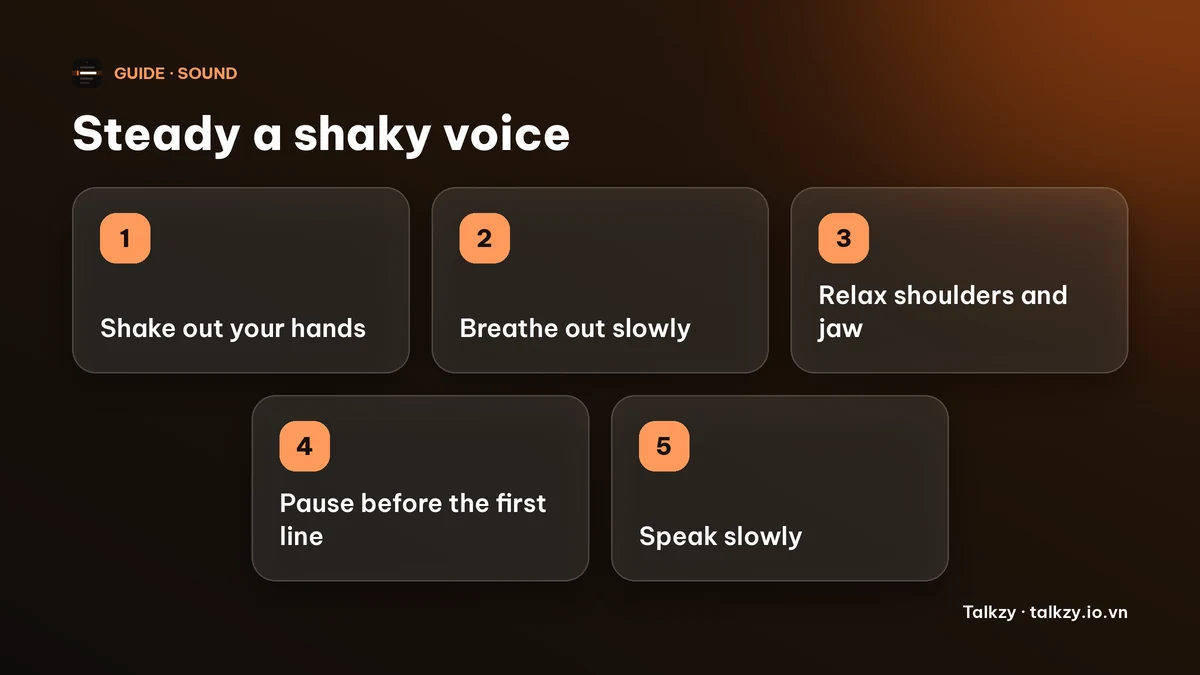
What can I do in the minute before I start?
- 1Move for 20 seconds. Shake out your hands and arms, roll your shoulders, walk around. Movement gives the adrenaline somewhere to go.
- 2Breathe out slowly. Breathe in through your nose for about four seconds, then out through your mouth for six or more. Do five or six rounds. A long out-breath calms you down and gives you air for long sentences.
- 3Drop your shoulders and unclench your jaw. Let your tongue rest and your neck feel long. A tight throat is what makes the voice thin and wobbly.
- 4Sip room-temperature water. A dry mouth makes a nervous voice crack more easily.
- 5Pause before the first line. Take one breath and let one or two seconds of silence pass before you speak. Starting in a rush is when the voice shakes most.
| What you notice | Likely cause | What helps |
|---|---|---|
| Trembling at the very start | Adrenaline | Move, slow out-breath, pause before the first line |
| Thin, high, breathy voice | Tight throat and shoulders | Relax jaw and neck, hum a low note |
| Voice cracks at the end of sentences | Running out of air | Slow down, breathe at punctuation |
| Shaking gets worse as you worry | Focusing on the shake | Focus on the message, keep going |
What if my voice wobbles in the middle of a sentence?
Don’t stop and apologise, and don’t try to push through louder. Finish the sentence a little slower, take a breath at the next full stop, and carry on. Most listeners barely register a wobble; they do register a panic.
If you are recording, you can simply pause and retake from the start of the sentence. Recording in short sections means one wobble costs seconds, not the whole video.
How do I keep my voice steady over a whole talk or video?
- Speak slower than feels natural. Nervous people speed up, and speed brings the shake back. The guide on talking too fast has pace targets.
- Breathe at punctuation, not when you run out of air. Mark the breaths in your script.
- Do a 30-second test take and play it back. You will usually find it sounds calmer than it felt.
- Warm up your voice first. The warm-up guide has a five-minute routine.
- Practise the opening more than the rest. The first sentences are where the shake lives; once you are two sentences in, most people settle.
How can a script on screen help me stay calm?
Not having to remember what comes next removes one source of panic, and a steady scroll gives you a pace to follow. Talkzy for Mac is a slim script bar that hangs from the MacBook’s notch, or sits top-centre on a display without one, and stays on top of other windows. It is on the Mac App Store for macOS 14 or later.
- Countdown: when you start, the text waits for a short countdown (0, 3, 5 or 10 seconds; the default is 3), so you can finish your breath before the words move.
- Timed mode scrolls at a steady words-per-minute pace you choose, from 60 to 260. If you tend to rush when nervous, set a slower pace than you think you need.
- Manual mode lets you scroll yourself, and voice-follow moves the text with what Talkzy hears you say.
The overlay, timed and manual scrolling are free. Voice-follow is free for 3 sessions a day, and Pro removes the limit. The iPhone and iPad app is coming soon to the App Store. Talkzy does not change how your voice sounds; the breathing and pacing are still up to you.
Frequently asked questions
- Why does my voice shake when I speak in front of people?
- Nerves release adrenaline, which makes your breathing shallow and tightens the muscles of your neck and throat. The air passing your vocal cords becomes uneven, and you hear that as a tremble.
- How do I stop my voice shaking right before I start?
- Shake out your hands, breathe in for about four seconds and out for six or more a few times, drop your shoulders, sip water, and pause for a second or two before your first line.
- Will my audience notice my shaky voice?
- Usually much less than you do. Listeners tend to notice panic, such as stopping or apologising, more than a small wobble, so finish the sentence calmly and carry on.
- Does Talkzy fix a shaky voice?
- No. Talkzy shows your script and scrolls it at a pace you set. A countdown and a slower, steady pace can help you start calmly, but breathing and delivery are still yours.